Tooltip
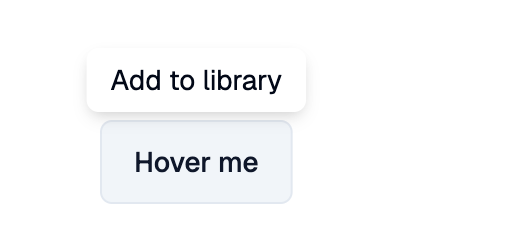
Shows a Shadcn-styled tooltip while the pointer hovers over content
(or on long press on touch devices).
Example:
shad.Tooltip(
    message="Add to library",
    content=shad.Button("Hover", variant=shad.ButtonVariant.OUTLINE),
)
Inherits: LayoutControl
Properties
content- The control that shows the tooltip.message- The text or control shown in the tooltip.show_duration- How long the tooltip stays visible after the pointer leaves.wait_duration- How long the pointer must hover before the tooltip appears.
Example
Shadcn Tooltip
play_arrowTry Online
import flet_shadcn_ui as shad

import flet as ft


def main(page: ft.Page):
    page.title = "Shadcn Tooltip"

    page.add(
        ft.SafeArea(
            content=ft.Row(
                spacing=16,
                controls=[
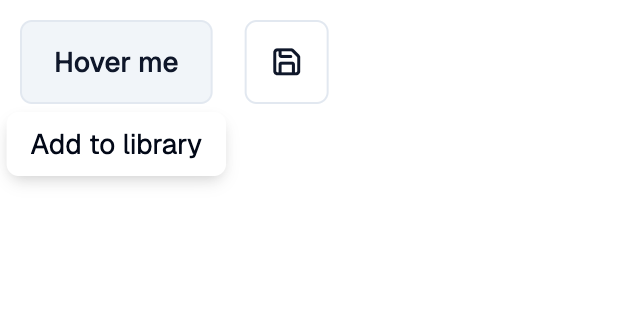
                    shad.Tooltip(
                        message="Add to library",
                        content=shad.Button(
                            "Hover me", variant=shad.ButtonVariant.OUTLINE
                        ),
                    ),
                    shad.Tooltip(
                        message=ft.Row(
                            tight=True,
                            controls=[
                                ft.Icon(shad.LucideIcons.KEYBOARD, size=14),
                                ft.Text("Ctrl+S"),
                            ],
                        ),
                        wait_duration=ft.Duration(milliseconds=500),
                        content=shad.IconButton(
                            icon=shad.LucideIcons.SAVE,
                            variant=shad.ButtonVariant.OUTLINE,
                        ),
                    ),
                ],
            )
        )
    )


if __name__ == "__main__":
    ft.run(main)
Properties
show_durationclass-attributeinstance-attribute
show_duration: DurationValue | None = NoneHow long the tooltip stays visible after the pointer leaves.
If None, it hides right away.
wait_durationclass-attributeinstance-attribute
wait_duration: DurationValue = field(
    default_factory=lambda: Duration(milliseconds=0)
)
How long the pointer must hover before the tooltip appears.