Switch
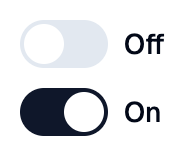
A Shadcn switch.
Example:
shad.Switch(label="Airplane mode")
Inherits: LayoutControl
Properties
error_text- An error message shown in red below this switch.inactive_track_color- The color of the track when this switch is off.label- The label shown next to this switch.sublabel- Secondary text shown belowlabel.thumb_color- The color of the thumb.track_color- The color of the track when this switch is on.value- Whether this switch is on.
Events
Example
Shadcn Switch
play_arrowTry Online
import flet_shadcn_ui as shad

import flet as ft


def main(page: ft.Page):
    page.title = "Shadcn Switch"

    def handle_change(e: ft.Event[shad.Switch]):
        status.value = f"Airplane mode is {'on' if e.control.value else 'off'}"

    status = ft.Text("Airplane mode is off")

    page.add(
        ft.SafeArea(
            content=ft.Column(
                controls=[
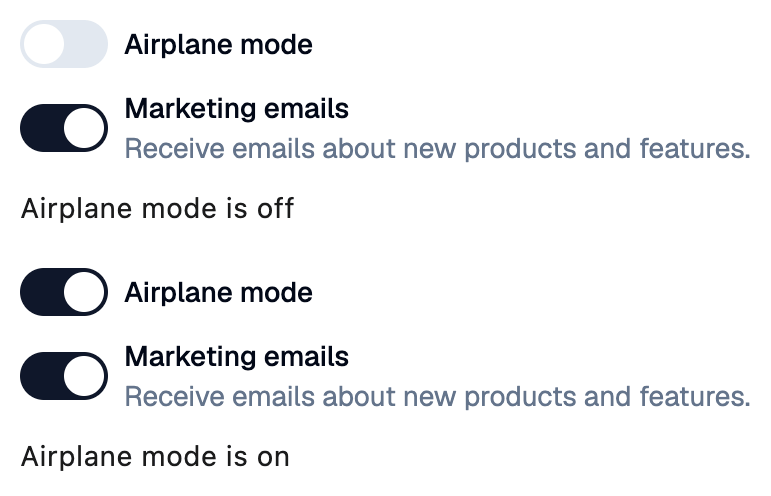
                    shad.Switch(label="Airplane mode", on_change=handle_change),
                    shad.Switch(
                        label="Marketing emails",
                        sublabel="Receive emails about new products and features.",
                        value=True,
                    ),
                    status,
                ],
            )
        )
    )


if __name__ == "__main__":
    ft.run(main)
Properties
error_textclass-attributeinstance-attribute
error_text: str | None = NoneAn error message shown in red below this switch.
Set it after validating the value, and set it back to None (or an empty
string) to clear the error.
inactive_track_colorclass-attributeinstance-attribute
inactive_track_color: ColorValue | None = NoneThe color of the track when this switch is off.
If None, the input color of the theme is used.
labelclass-attributeinstance-attribute
label: StrOrControl | None = NoneThe label shown next to this switch.
sublabelclass-attributeinstance-attribute
sublabel: StrOrControl | None = NoneSecondary text shown below label.
thumb_colorclass-attributeinstance-attribute
thumb_color: ColorValue | None = NoneThe color of the thumb.
If None, the background color of the theme is used.
track_colorclass-attributeinstance-attribute
track_color: ColorValue | None = NoneThe color of the track when this switch is on.
If None, the primary color of the theme is used.
Events
on_changeclass-attributeinstance-attribute
on_change: ControlEventHandler[Switch] | None = NoneCalled when value changes.
The data property of the event handler argument
contains the new value.