ContextMenu
Shows a Shadcn context menu for content.
How the menu opens depends on the platform:
- Windows, macOS, Linux and desktop web: right-click. On the web the browser's own context menu is suppressed while this one shows.
- Android and iOS (including the web on phones): long-press or tap.
Because a tap opens the menu, tappable controls inside
contentalso open it; setopen_on_taptoFalseto avoid that.
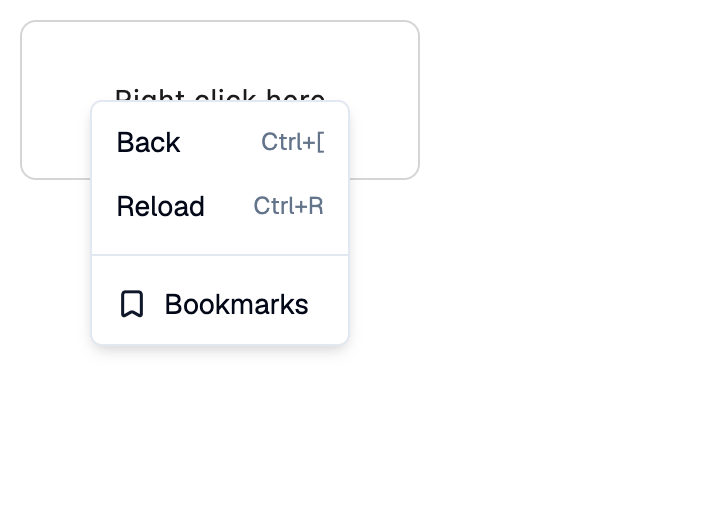
Example:
shad.ContextMenu(
    content=ft.Container(width=300, height=150, content=ft.Text("Right click")),
    items=[
        shad.MenuItem("Back", on_click=go_back),
        shad.MenuItem("Reload", trailing="Ctrl+R", on_click=reload),
    ],
)
Inherits: LayoutControl
Properties
content- The control that opens the menu.items- The menu items, usuallyMenuItemandSeparatorcontrols.open_on_long_press- Whether a long-press oncontentopens the menu.open_on_tap- Whether a tap (or left-click) oncontentopens the menu.
Example
Shadcn ContextMenu
play_arrowTry Online
import flet_shadcn_ui as shad

import flet as ft


def main(page: ft.Page):
    page.title = "Shadcn ContextMenu"

    def handle_click(e: ft.Event[shad.MenuItem]):
        status.value = f"Clicked: {e.control.content}"

    def item(label: str, **kwargs) -> shad.MenuItem:
        return shad.MenuItem(label, on_click=handle_click, **kwargs)

    def divider() -> shad.Separator:
        return shad.Separator(margin=ft.Margin.symmetric(vertical=4))

    status = ft.Text("Right-click the area above")

    page.add(
        ft.SafeArea(
            content=ft.Column(
                spacing=16,
                controls=[
                    shad.ContextMenu(
                        content=ft.Container(
                            key="area",
                            width=300,
                            height=150,
                            alignment=ft.Alignment.CENTER,
                            border=ft.Border.all(1, ft.Colors.OUTLINE_VARIANT),
                            border_radius=8,
                            content=ft.Text("Right click here"),
                        ),
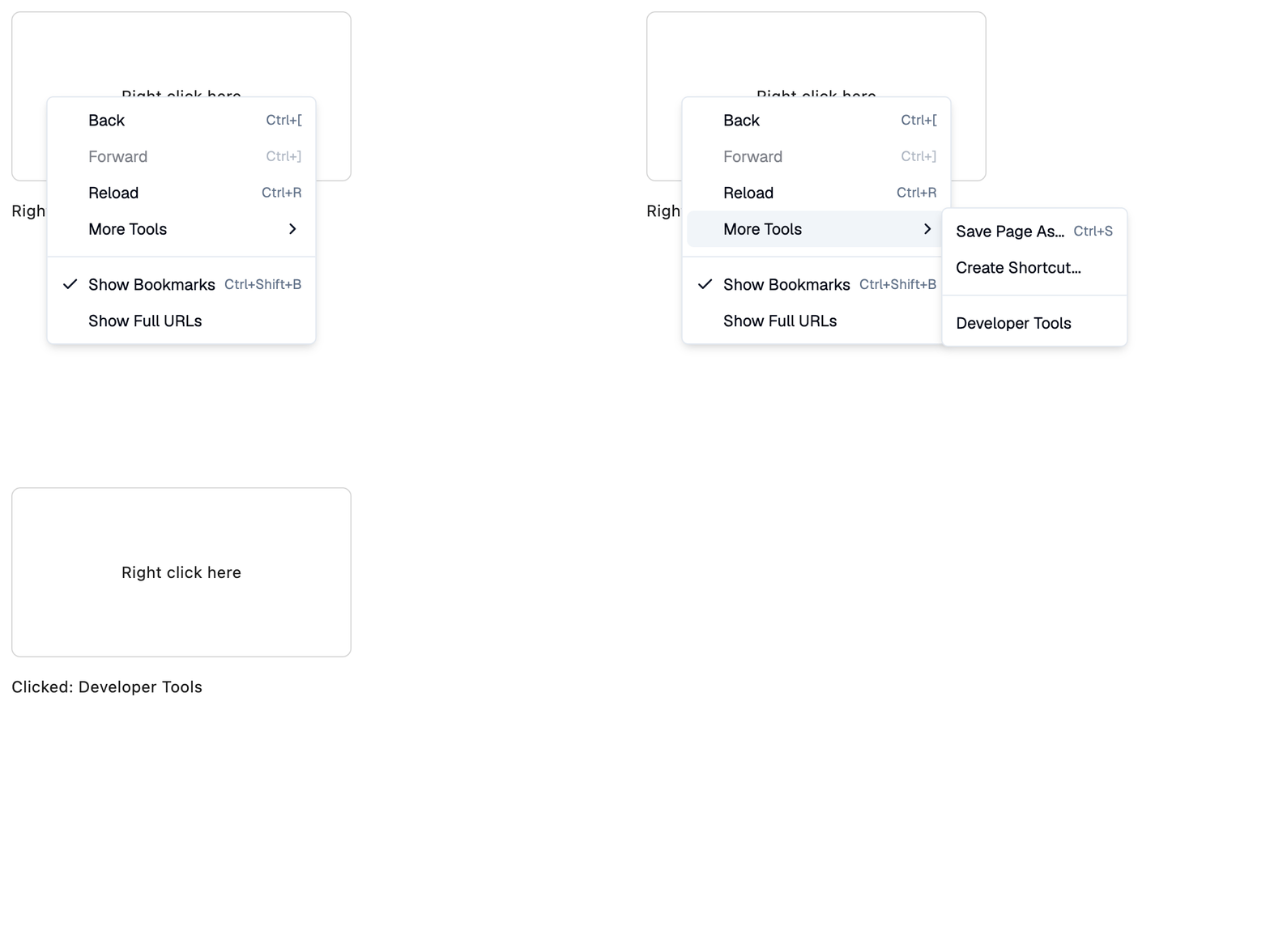
                        items=[
                            item("Back", inset=True, trailing="Ctrl+["),
                            item(
                                "Forward", inset=True, trailing="Ctrl+]", disabled=True
                            ),
                            item("Reload", inset=True, trailing="Ctrl+R"),
                            shad.MenuItem(
                                "More Tools",
                                inset=True,
                                items=[
                                    item("Save Page As...", trailing="Ctrl+S"),
                                    item("Create Shortcut..."),
                                    divider(),
                                    item("Developer Tools"),
                                ],
                            ),
                            divider(),
                            item(
                                "Show Bookmarks",
                                leading=shad.LucideIcons.CHECK,
                                trailing="Ctrl+Shift+B",
                            ),
                            item("Show Full URLs", inset=True),
                        ],
                    ),
                    status,
                ],
            )
        )
    )


if __name__ == "__main__":
    ft.run(main)
Properties
open_on_long_pressclass-attributeinstance-attribute
open_on_long_press: bool | None = NoneWhether a long-press on content opens the menu.
If None, uses the platform default: a long-press opens the menu on
Android and iOS (including the web on phones), and does nothing on
desktop and desktop web. True or False applies on every platform.
open_on_tapclass-attributeinstance-attribute
open_on_tap: bool | None = NoneWhether a tap (or left-click) on content opens the menu.
If None, uses the platform default: a tap opens the menu on Android and
iOS (including the web on phones), where there is no right-click, and a
left-click does nothing on desktop and desktop web. True or False
applies on every platform; for example, set False so that buttons inside
content don't open the menu on phones.